
Your Aadhaar update or new enrolment can be tracked for free on UIDAI’s myAadhaar portal. UIDAI redesigned myAadhaar in 2026, and the service you need is now called Check Enrolment / Update Status. Do not confuse it with Check Aadhaar Status, which sits right next to it and only checks whether an Aadhaar number is valid.
The screenshots below were taken on the official portal on 7 October 2026. Personal details and captcha codes are blurred.
Track your request only on UIDAI's myaadhaar.uidai.gov.in — never share OTP with anyone.
Open myAadhaar — Official UIDAIQuick overview
| Detail | Information |
|---|---|
| Service name on the portal | Check Enrolment / Update Status |
| Where | myaadhaar.uidai.gov.in |
| Reference numbers accepted | 14-digit enrolment number, 28-digit EID, SRN, URN or SID |
| Login needed? | No — the form asks only for the number and a captcha. Logging in adds a status panel for your online requests |
| Fee | Free |
| Lost your slip? | Use Retrieve EID on the same page |
Step 1: Find the service on the new myAadhaar
The new home page greets you with “Welcome to myAadhaar — What do you want to do today?”, a search box, and four large tiles: Update Services, Get Aadhaar, Keep Aadhaar Secure and Plan Enrolment. A Switch back to legacy link at the top takes you to the older design if you prefer it.
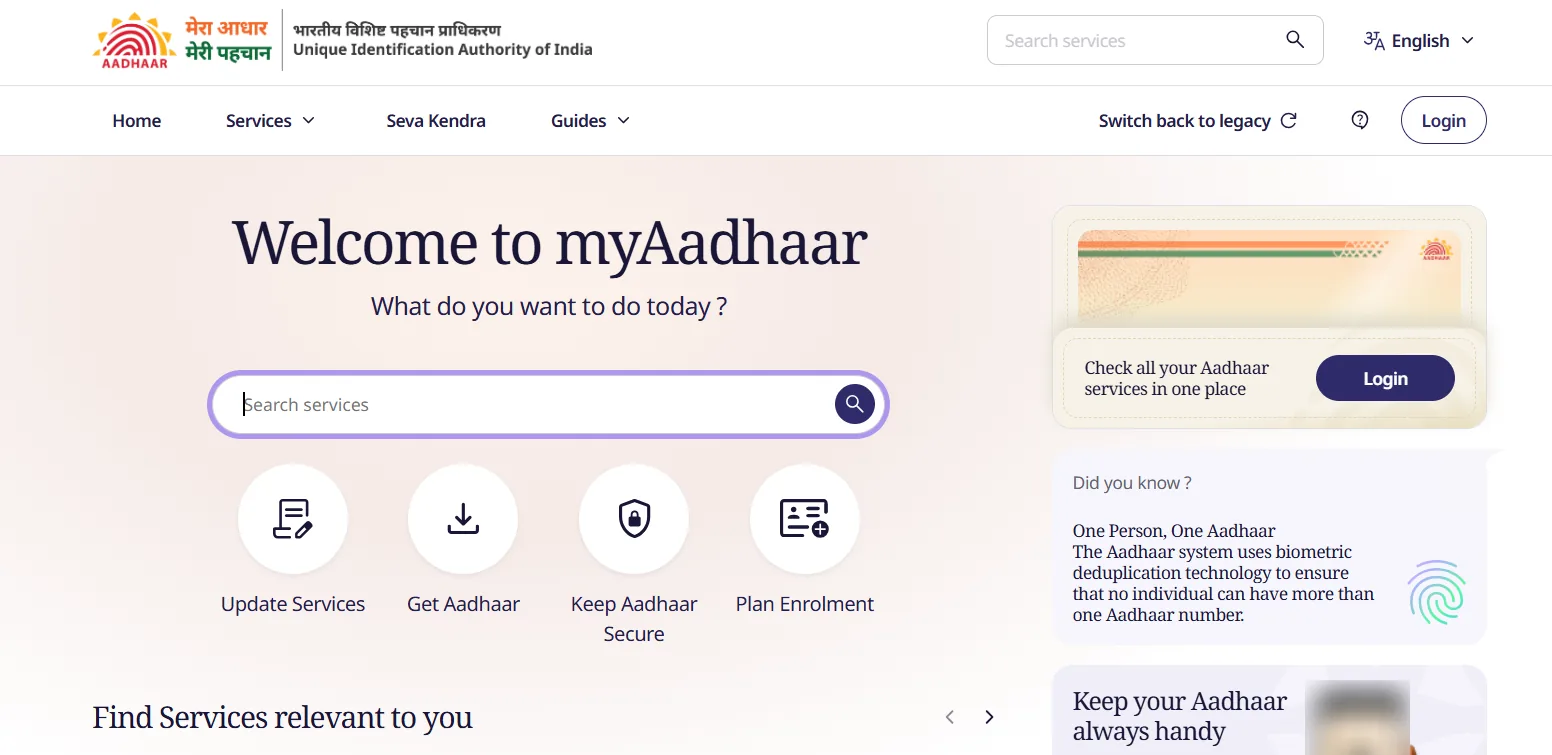
The myAadhaar home page on 7 October 2026.
The quickest route is to type “Check Enrolment” into the search box. If you are logged in, the same service is one of the Popular Aadhaar Services cards on your dashboard (see Step 3).
Step 2: Enter your reference number
The page is headed Check Enrolment or Update Status — “Track the status of your Aadhaar enrolment using your EID/SRN/URN/SID”.
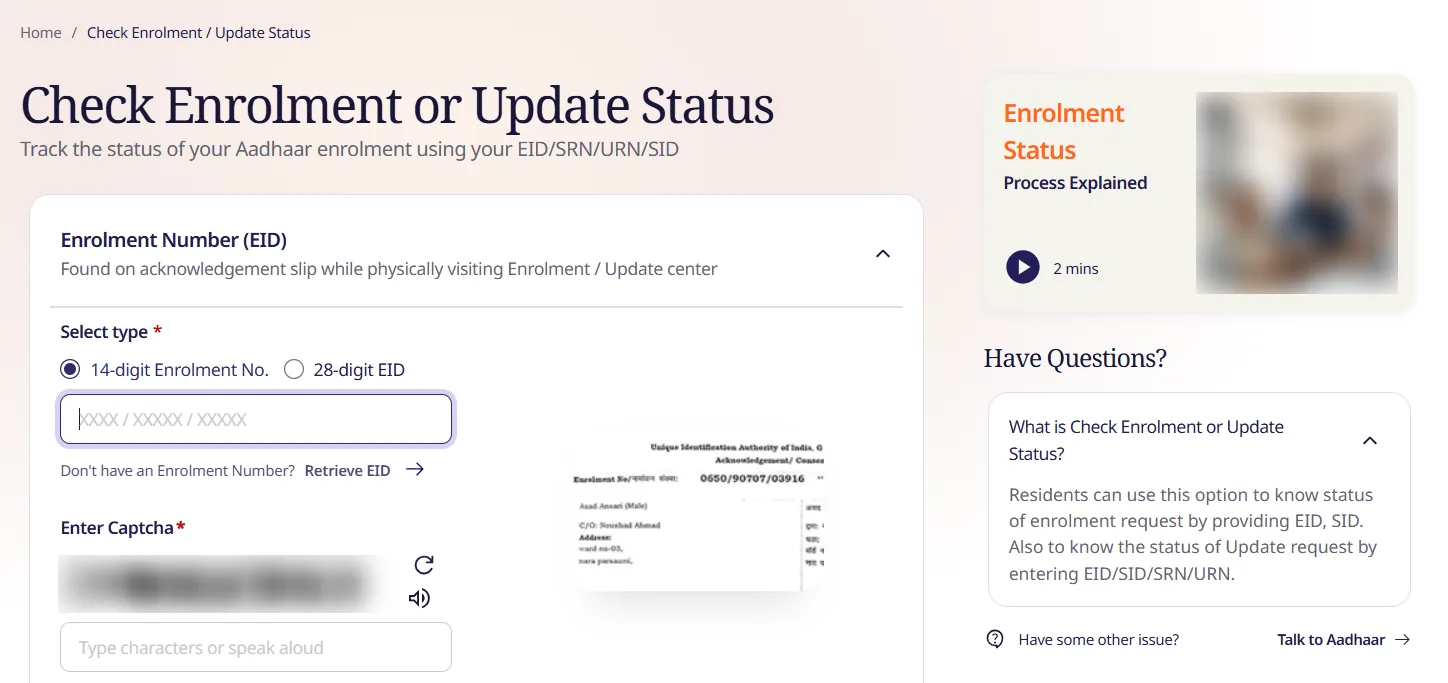
The status page on 7 October 2026. The slip on the right is UIDAI’s own sample showing where the enrolment number is printed.
- The form opens on Enrolment Number (EID) — “Found on acknowledgement slip while physically visiting Enrolment / Update center”.
- Under Select type, choose 14-digit Enrolment No. or 28-digit EID. The 14-digit box expects the format
XXXX / XXXXX / XXXXX, exactly as printed at the top of your slip (UIDAI’s sample shows0650/90707/03916). The 28-digit EID is the same number followed by the date and time of enrolment. - If your reference is an SRN, URN or SID (for example from an online update), use the matching option on the same page. The help panel on the right confirms that update requests can be tracked by EID, SID, SRN or URN.
- Type the captcha. There is a refresh button and an audio button, and the box says “Type characters or speak aloud”.
- Submit and read the status.
No slip? Right under the number box is “Don’t have an Enrolment Number? Retrieve EID →”. Use that instead of starting a fresh request.
Step 3: Logged in? Use the dashboard instead
If you made the request online, logging in is often easier. The login page asks for your Aadhaar number and a captcha, then sends an OTP to your registered mobile (Login With OTP).
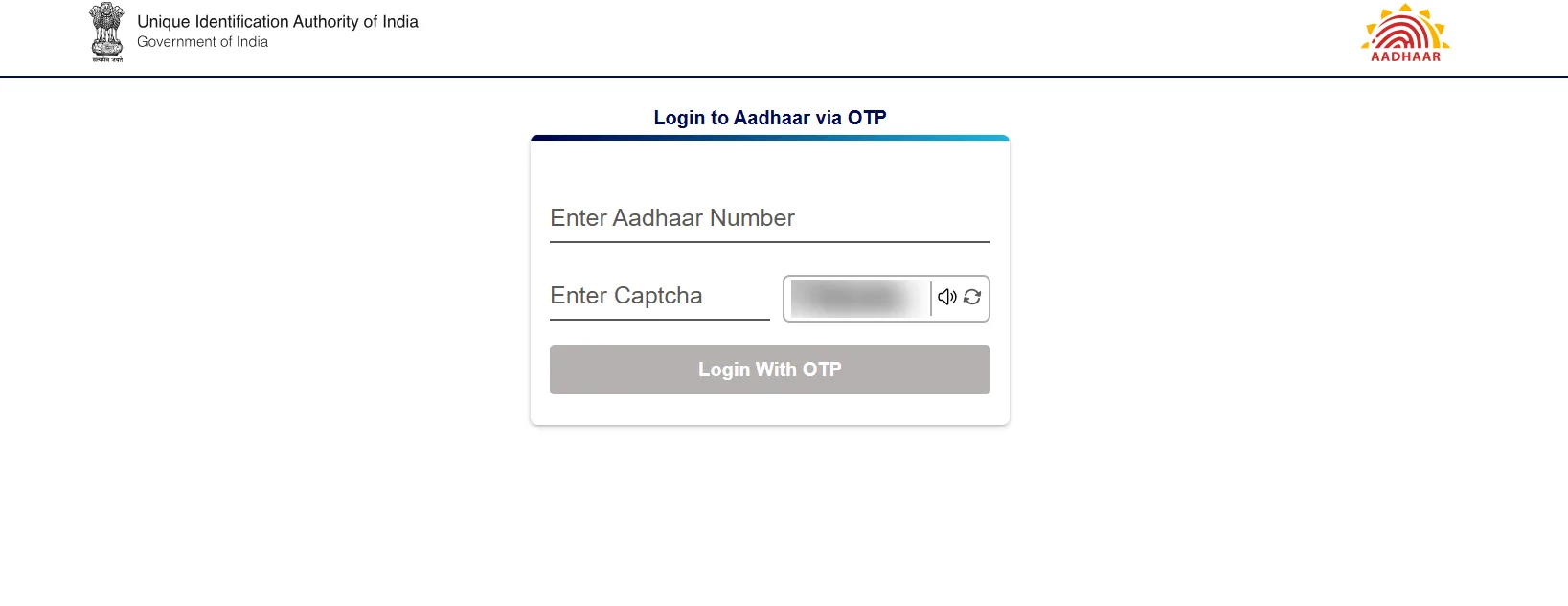
The login page on 7 October 2026.
After login, the dashboard is headed Check service status and drafts. It has:
- a Check Status button for “all the services opted online” (the portal warns that it “may take a minute”),
- a Check Enrolment / Update Status card under Popular Aadhaar Services, and
- Payment History, Authentication History and Update History on the right. Update History is the place to confirm what has already been changed on your Aadhaar.
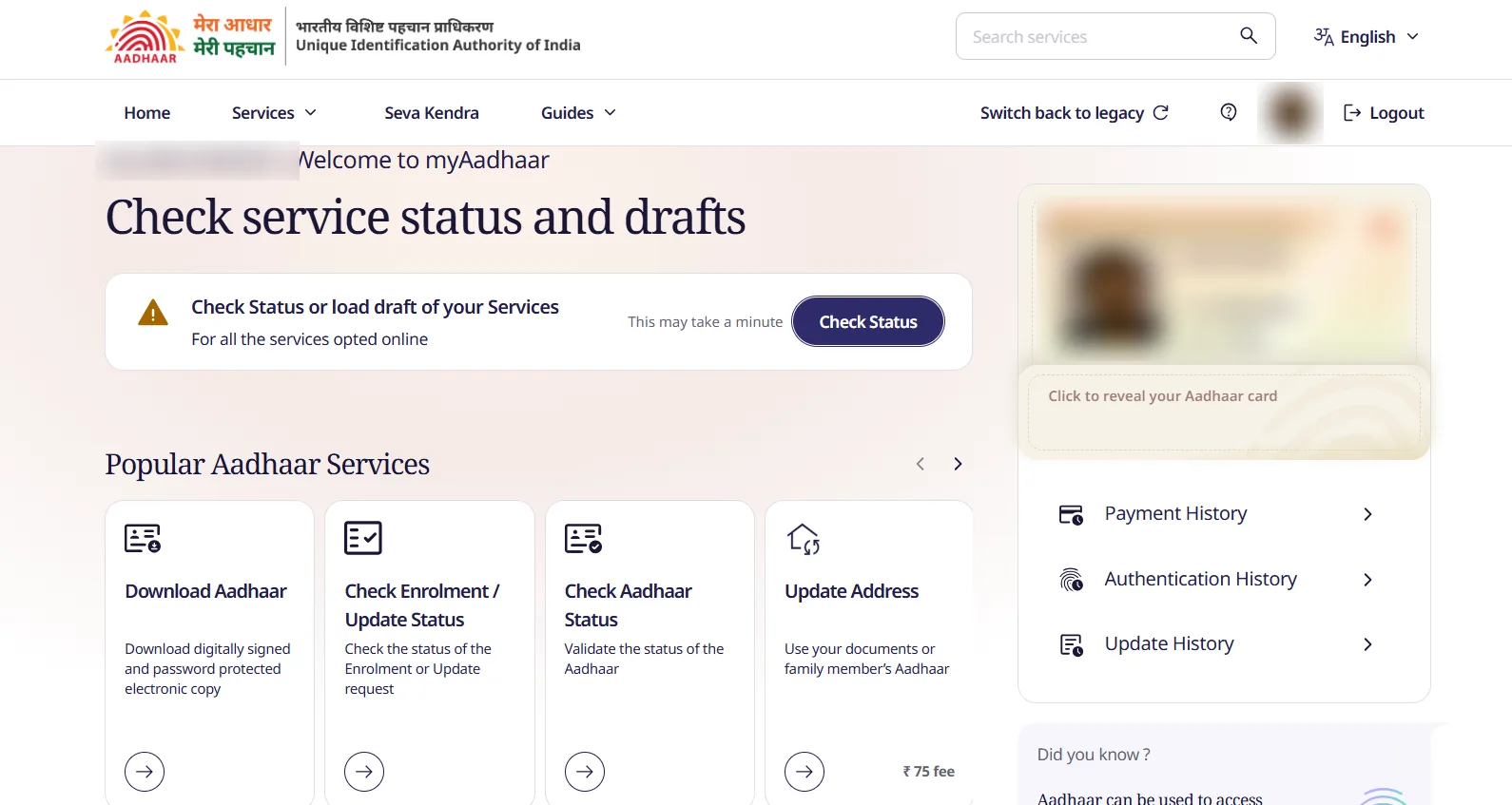
The dashboard after login on 7 October 2026 (name, photo and card details blurred).
Online updates also show their progress inside the service itself. The Update Address page, for example, displays a ₹75 fee, a time limit of up to 30 days, and a five-step tracker: Draft → Payment → Verification → Validation → Completed. It also has its own Check Address Update Status and Address Update History buttons.
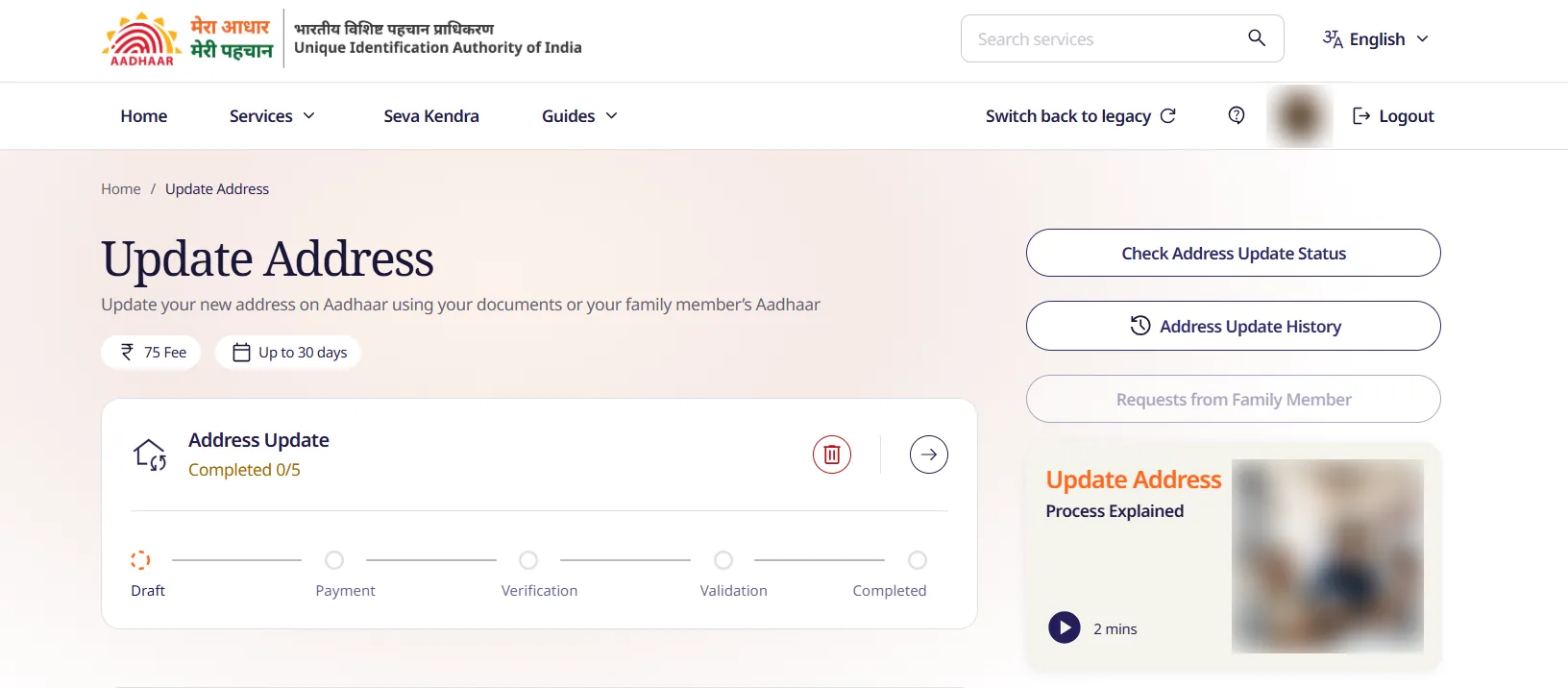
The Update Address page on 7 October 2026, with a draft request at 0 of 5 steps.
Which reference number do I have?
| Where you made the request | Number you will have | Where to find it |
|---|---|---|
| Aadhaar centre (new enrolment or update) | 14-digit enrolment number / 28-digit EID | Top of the acknowledgement slip |
| myAadhaar online update | SRN | Confirmation screen, SMS, or your dashboard |
| Some update and enrolment requests | URN or SID | SMS or acknowledgement |
Status check vs. the services next to it
| You want to… | Use this on myAadhaar |
|---|---|
| Track an update or new enrolment | Check Enrolment / Update Status |
| Confirm an Aadhaar number is valid | Check Aadhaar Status |
| See what was changed in the past | Update History (after login) |
| Get the updated card | Download Aadhaar — see Download Aadhaar card online |
| Check Aadhaar–PAN linking | Income Tax e-filing portal — see Link Aadhaar with PAN |
After the update is completed
- Download a fresh e-Aadhaar so you have the new details.
- If you use DigiLocker, fetch Aadhaar again so it shows the update.
- If your name or date of birth changed, check that your Aadhaar–PAN link still matches.
If the request was rejected, read the reason shown, fix the document or detail, and file a new request. Do not file a duplicate while the first request is still in progress.
Common problems
| Problem | What to do |
|---|---|
| “Invalid” number | Check you picked the right type (14-digit vs 28-digit) and typed the slashes as shown |
| Lost the slip | Retrieve EID on the status page, or search SMS/email from UIDAI |
| Dashboard status slow | The portal says it “may take a minute” — wait before refreshing |
| Status unchanged for weeks | Compare with the time limit shown for that update (e.g. up to 30 days for address), then use Talk to Aadhaar on the status page |
| Link in an SMS asks for OTP | Do not click it — type myaadhaar.uidai.gov.in yourself |
Related Aadhaar guides
- Download Aadhaar card online
- Know your Aadhaar-linked mobile number
- Aadhaar mobile number update
- Aadhaar name correction
- All Aadhaar services
Screenshots and steps checked on the official myAadhaar portal on 7 October 2026. Easy Applications is an independent site and is not affiliated with UIDAI. Edited by RAKESH.A.